๐ŸŒ…

Morning Ready

Most of my recent product work is platform โ€” powerful inside other products, hard to show directly. So I built one end to end: Morning Ready, an AI app that tells a parent what their kid needs each morning โ€” concept to production in about three days.

RoleSole PM & builder
Built in~3 days
StatusLive in production
SurfaceMobile web
01 โ€” The problem

The pain isn't the checklist. It's the buried exception.

Parents already know the basics: water bottle, backpack, snack. The scramble is the one detail buried across emails or WhatsApp messages: what does my child need today?

What to bring: Wear green, swimsuit, towel, class party items.
Lunch risk: Whether today's school lunch is likely to work for the child, based on allergies, dislikes, dietary rules, and past patterns.

This app answers this exact question.
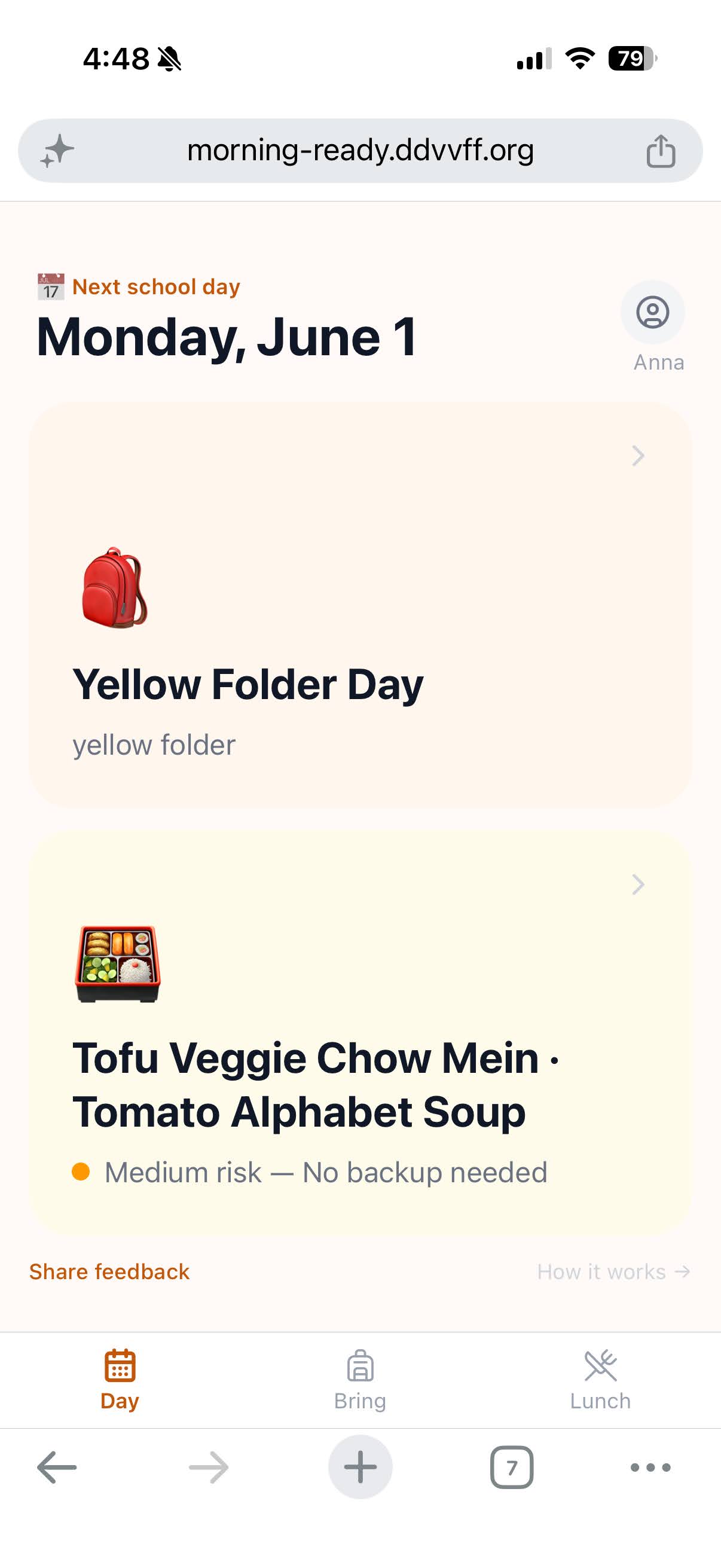
Day view showing Bring packing list and graded Lunch risk for Anna
Day view. What to bring and a graded lunch read โ€” in one screen.
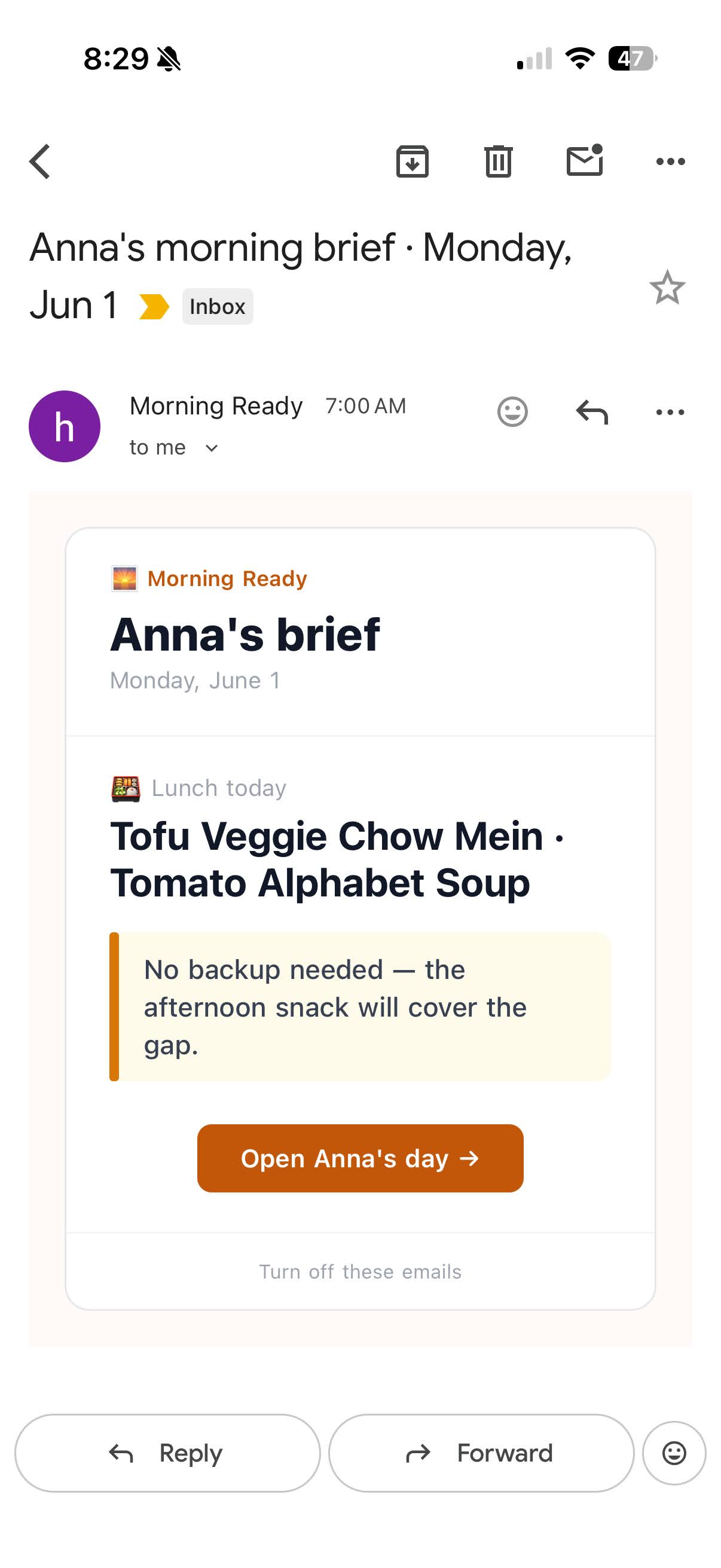
Morning Ready daily email brief showing Anna's lunch risk and action
Daily brief. Delivered each morning โ€” lunch risk, recommendation, one-tap action.
02 โ€” The decisions a prompt can't make

Craft is in the calls, not the generation.

Decision 01 ยท Lunch risk

The context layer is the product, not the prediction

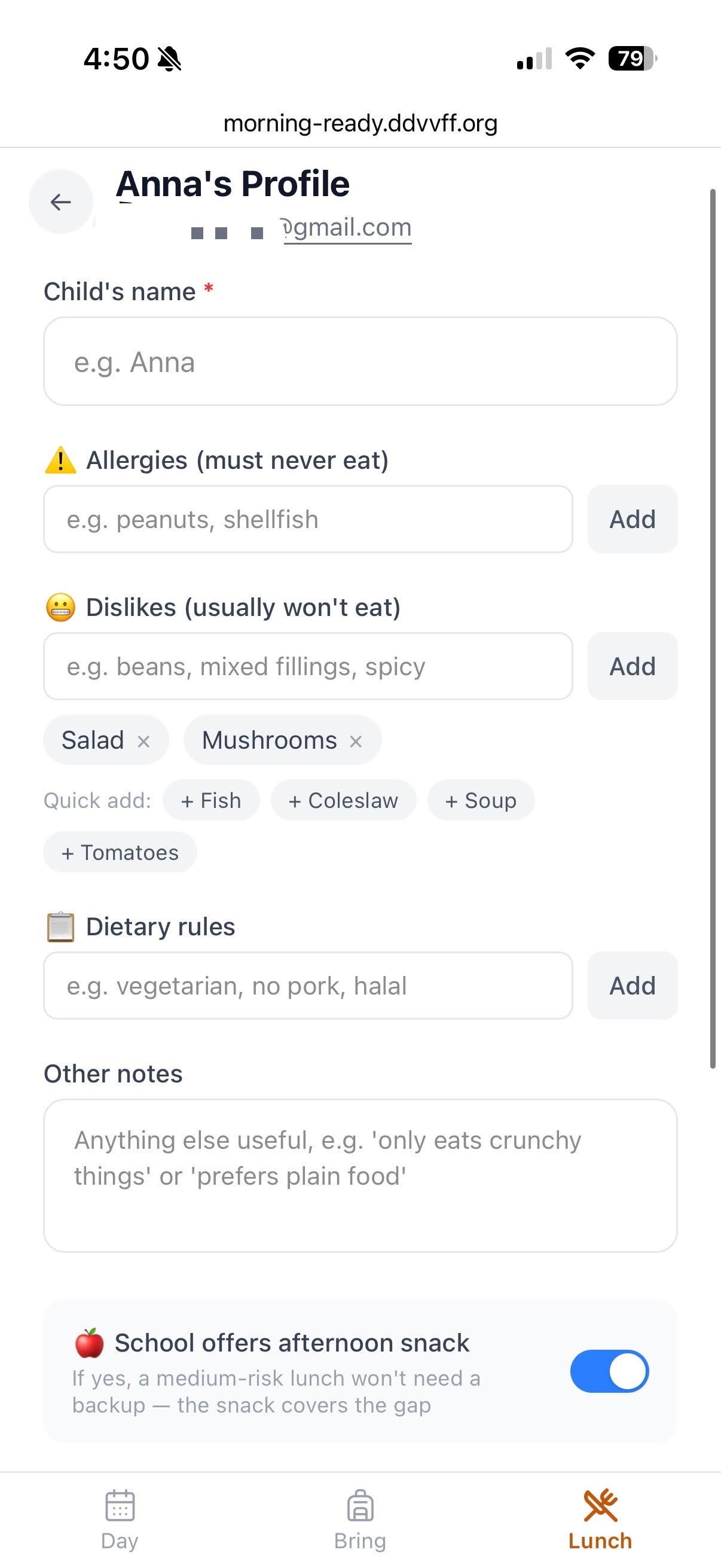
A generic prompt can guess whether a lunch looks risky. It can't tell you that peanuts are a hard allergy, mushrooms are a dislike, and halal is a dietary rule โ€” three different severities that call for three different responses. That distinction only exists if it's captured as structured data, not typed into a notes field.

So the profile splits it into three explicit fields, plus a running history of the parent's own corrections. The scoring loop reads all four: parent uploads the monthly menu PDF โ†’ app parses it by date โ†’ each day's lunch is checked against this child's allergies, dislikes, dietary rules, and past feedback โ†’ an alert lands only on the days that need one.

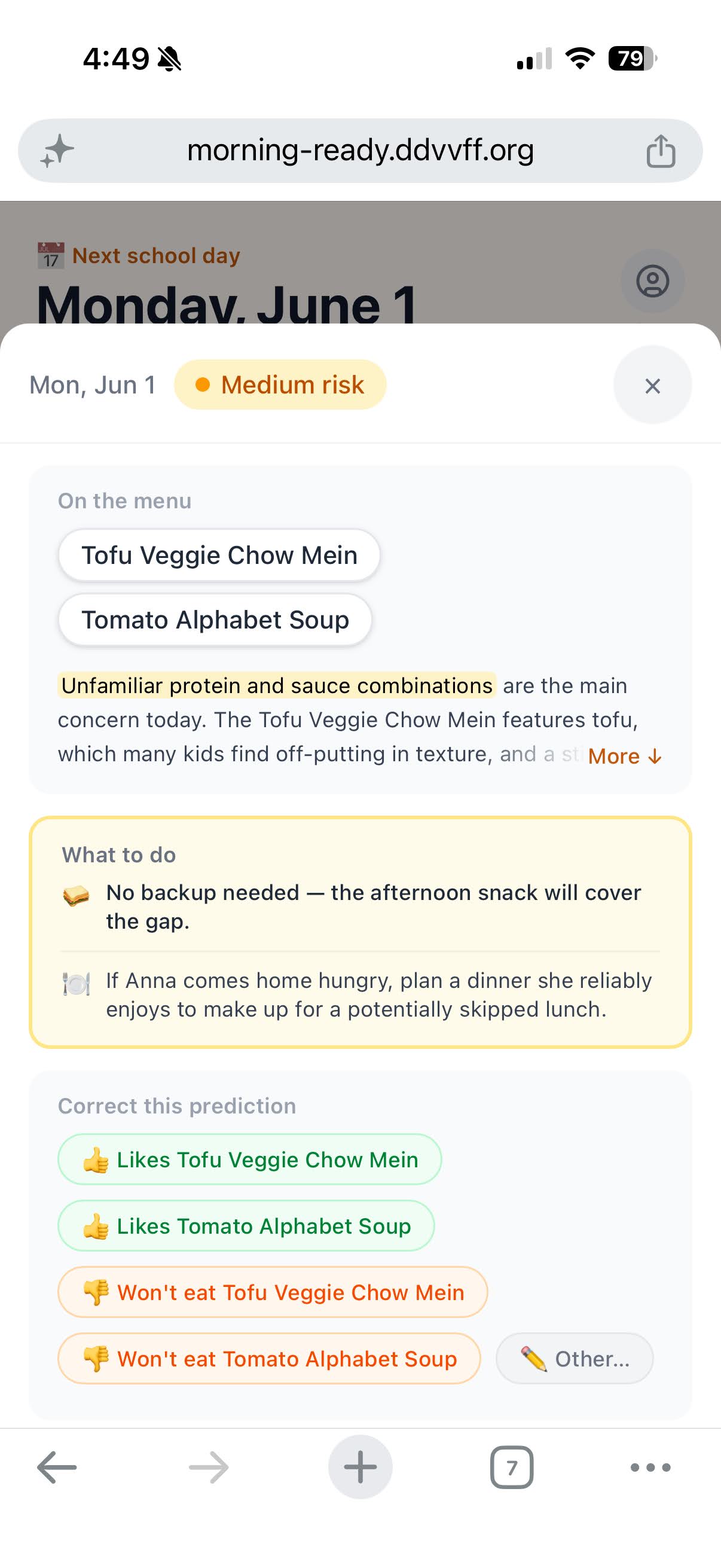
Every score can be corrected in one tap โ€” liked, disliked, won't-eat โ€” and that correction becomes context for next time. The context layer keeps getting more accurate about this one child; the prediction step doesn't need to change.

Anna's profile showing separate fields for allergies, dislikes, and dietary rules
Profile. Three fields, three semantics.
Lunch risk detail showing graded risk, recommendation, and correction buttons
Risk detail. Recommendation + correction loop.
Decision 02 ยท Trust

Private data about kids โ€” the app can't look like a toy

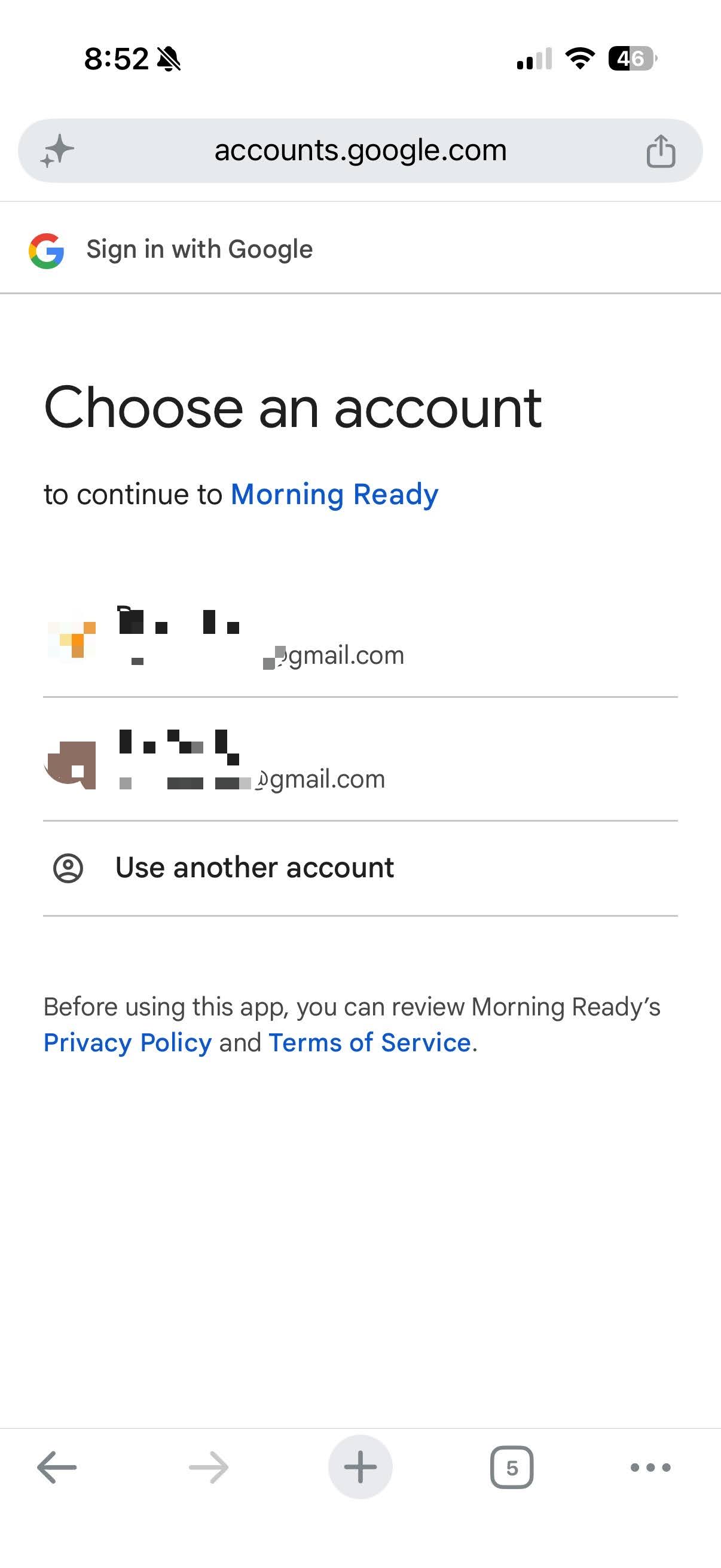
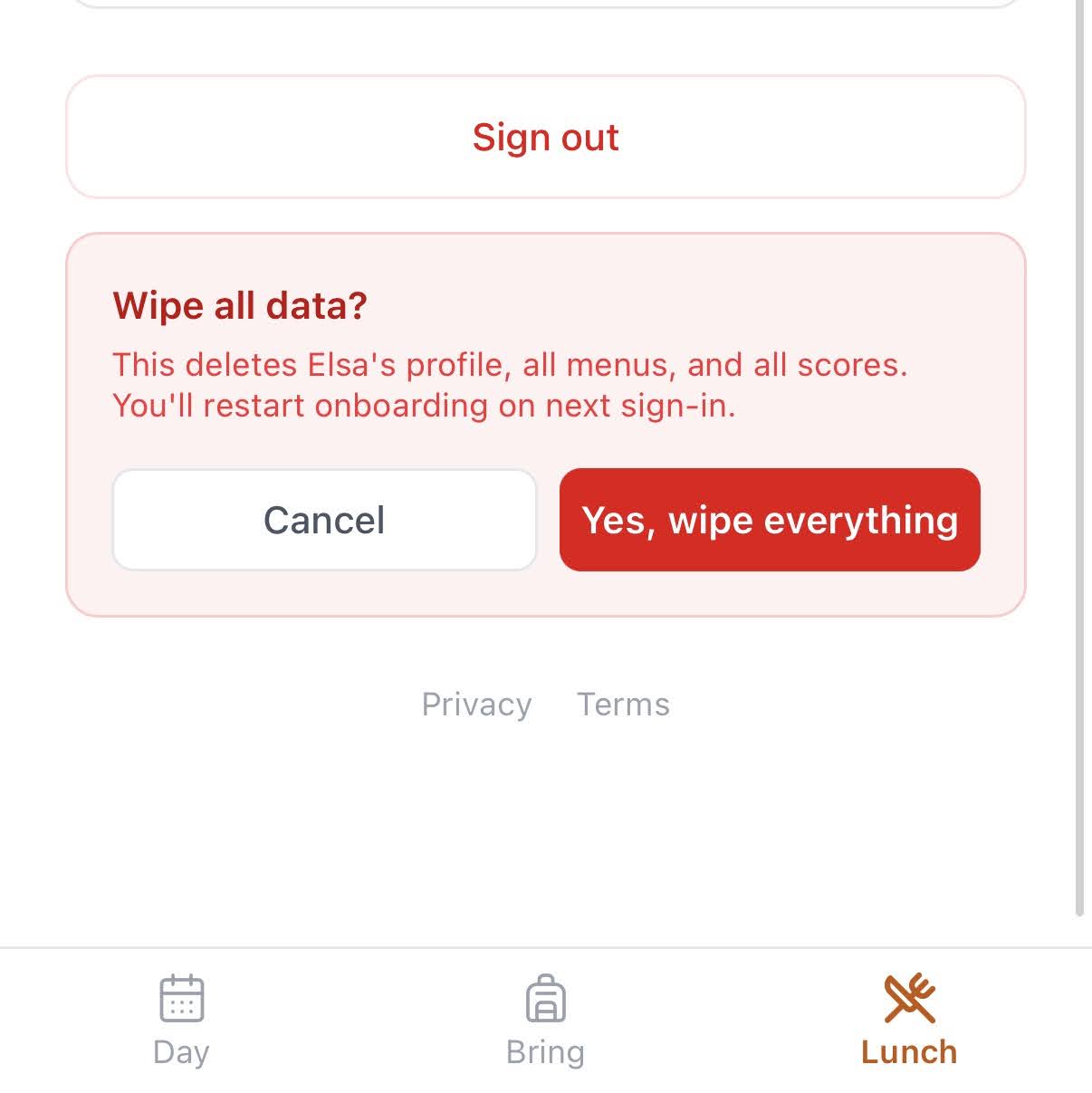
Parents entering their child's allergies and dislikes need to trust the product. Two deliberate steps: the Google sign-in screen shows “Morning Ready” by name with Privacy Policy and Terms of Service linked โ€” not a generic project ID. This requires going through Google's OAuth branding verification, which most demos skip. It's not hard, but it takes time and attention most builders don't spend โ€” and it's exactly the kind of detail that separates something that feels real from something that feels like a side project. And the parent owns their data: one tap wipes the profile, all menus, and all scores.

Google account chooser showing Morning Ready with T&S visible
Google SSO. App name and T&S on Google's own screen.
Wipe all data confirmation โ€” one tap to erase everything
Data control. One-tap full wipe.
Decision 03 ยท Activation

Value before sign-in

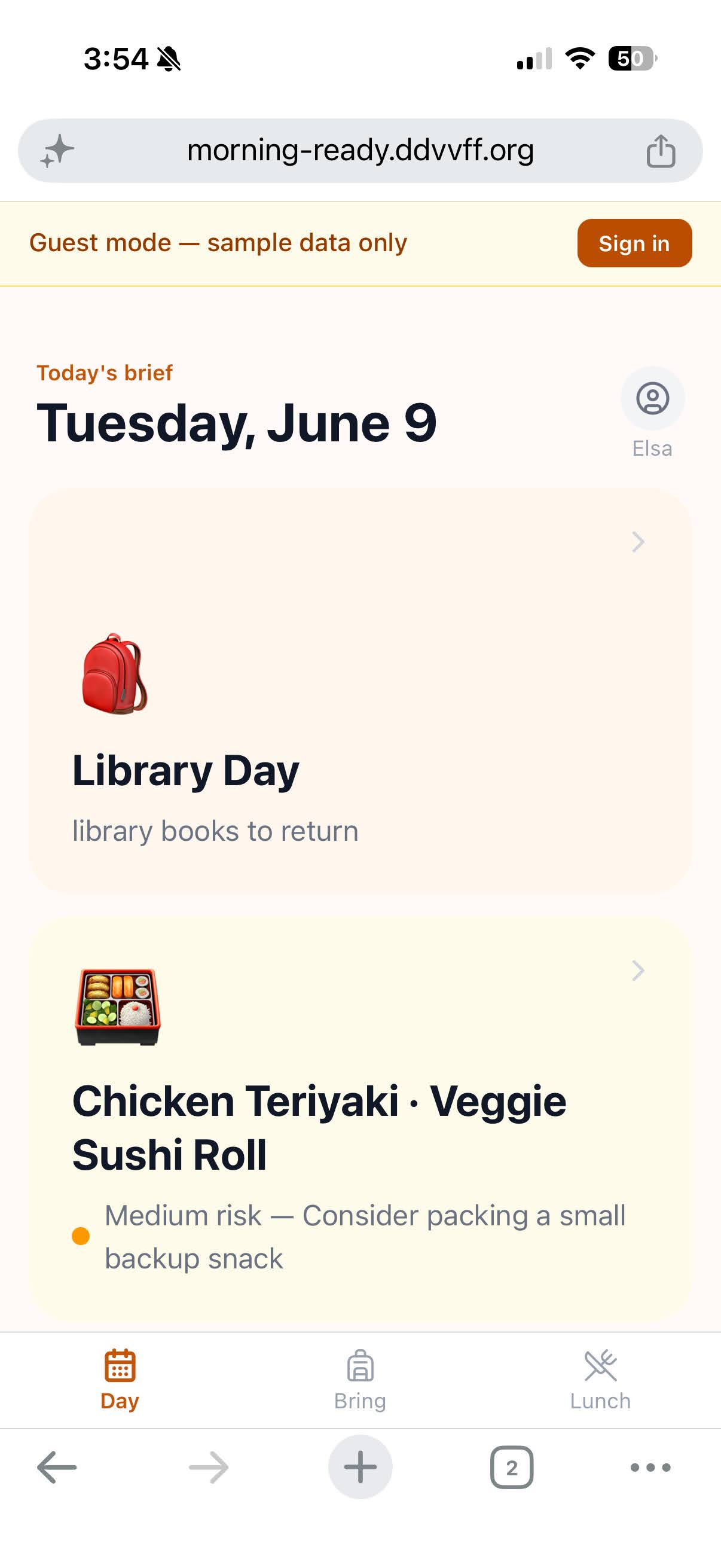
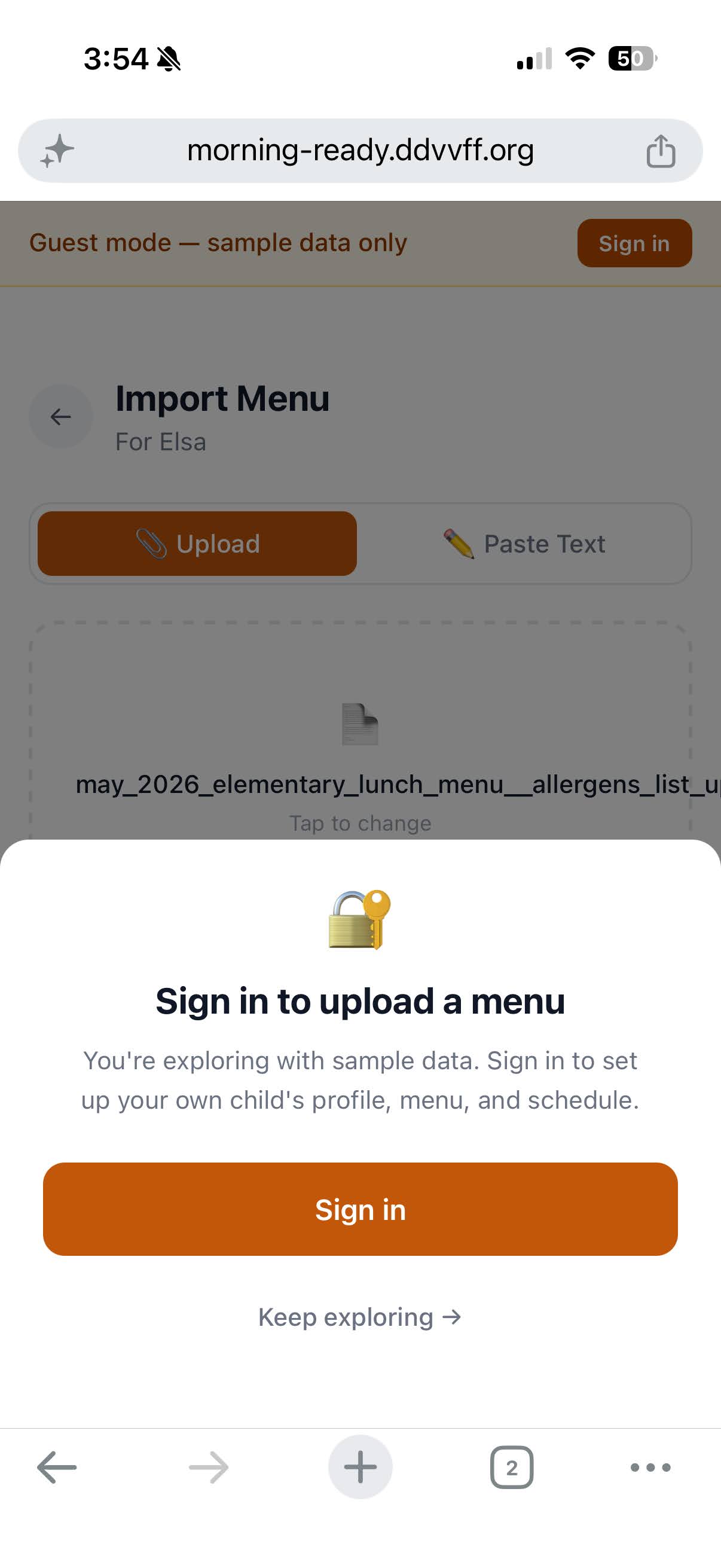
Users can immediately play with the app with sample data in guest mode and see the value. They only need to sign in when they want to upload their own data.

Today's brief in guest mode โ€” showing Library Day and lunch risk with sample data
Guest mode. Full app experience with sample data, no sign-in required.
Sign in to upload a menu prompt โ€” gate triggered only when the user tries to upload their own data
Gated at the right moment. Sign-in prompt appears only when uploading real data.
Decision 04 ยท MCP Extension

Meeting users where they already are

The top feedback I heard after sharing with family and friends: people already have go-to tools and want to stick with them โ€” e.g. ChatGPT for parsing emails, Google Calendar for reminders.

So I built a Claude MCP app for Morning Ready, making three product decisions in the extension:

Redirect to the app โ€” for things the app already does well: onboarding, profile setup, authentication.

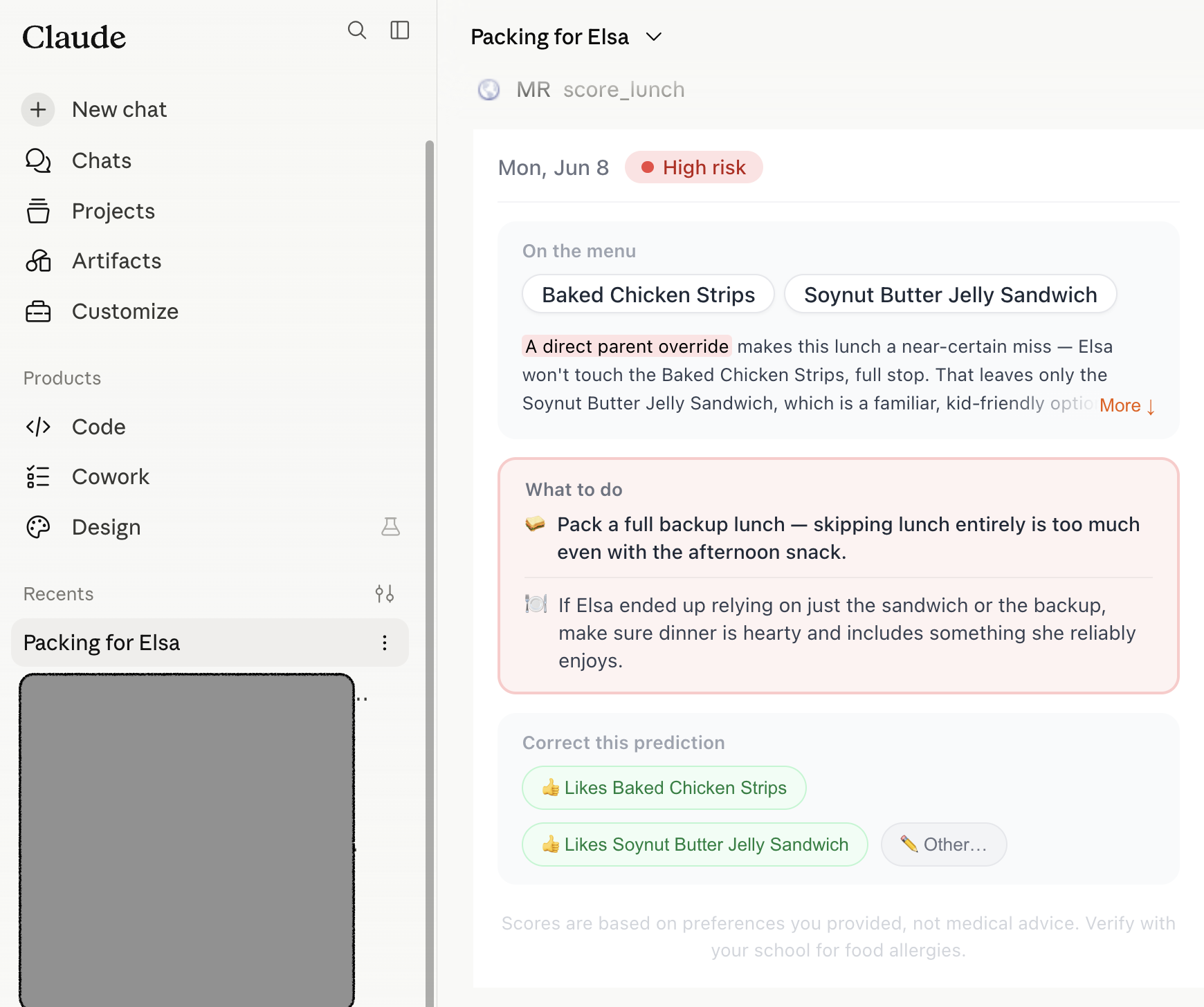
iframe in โ€” for the core experience that can't be flattened to text: Day View, the graded lunch risk with inline feedback. The experience is the product.

Let Claude handle it โ€” for the commodity features Claude is already great at: screenshot parsing, document upload, conversational confirmation. Don't reinvent.

Read the full MCP product decision log โ†’

Claude rendering Morning Ready's score_lunch tool as inline UI โ€” a graded lunch risk card with on-the-menu items, what-to-do guidance, and correction buttons
MCP App with iframe-in product UI.
03 โ€” Production
Production ยท not a sandbox

Everything a demo skips.

Real auth, managed data, authenticated email, CI/CD, regression tests โ€” the plumbing a prototype skips. Here as proof, not as the headline.

CI/CD โ€” dozens of production deploys off main, feature-flag gated, behind a 72-test regression suite
Data โ€” managed Supabase Postgres with automated backups; persistent per-child state powers the correction loop
Email โ€” Resend with full SPF/DKIM/DMARC; 100% inbox deliverability on the daily brief
Always-on โ€” custom domain and a cron-driven morning brief running in production, not prototyped
04 โ€” How it was built

Fast and thoughtful.

~3days, idea to prod
1person, full stack
72regression tests

AI compressed the build from weeks into days. The point isn't the speed โ€” it's where the saved time went: into the judgment a model can't make. A working product on day one, a deliberate design pass on day two, production hardening on day three โ€” including two restructures (nav and onboarding) that were decided, not generated.

The craft

Anyone can prompt a model for a packing list. The work was building the product around it โ€” the data model, the judgment calls, and the craft that keeps it from looking like something generated.

Visual identity built on the Impeccable design system โ€” deliberate type, color, and spacing to avoid generic AI aesthetics
Structured data model, risk as a recommendation, feedback loop per child โ€” product decisions, not prompt decisions
Real auth, CI/CD, 72 regression tests โ€” not a sandbox
Day 1MVP + AI feedback loop
Build
MVP shipped โ€” menu import, Claude parsing, per-child risk scoring
AI craft
SSE streaming โ€” today's score first, the rest loads in the background
AI craft
Correction UI feeds parent feedback into future predictions โ€” the model learns per child
Value
Pre-loaded menu โ€” meaningful data on day one, zero setup; passwordless auth
Day 2Design overhaul + UX polish
Design
Rebuilt the visual identity on the Impeccable system โ€” deliberate type, color, spacing, replacing generic Tailwind defaults
IA
Bring-first restructure; a Day tab answering "what do I need right now" instead of a raw calendar
Value
3-step onboarding โ€” allergies and dislikes personalize every prediction
Day 3Production
Infra
Custom domain, SMTP + email auth (SPF/DKIM/DMARC), database backups, cron for the morning brief โ€” running, not prototyped
Auth
Google OAuth consent + magic-link login
Quality
72 regression tests โ€” behavioral contracts, not just unit tests
Legal
Privacy policy, Terms, and medical disclaimers โ€” a baseline before the first real user
05 โ€” What's next

Iterate based on user feedback.